|
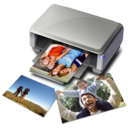
Canon MP Navigator is an application that enables you to work with digital photos and images. Also you can scan, copy documents. Using MP Navigator you can send image for printing, attach to e-mail or save it in PDF format.
MP Navigator is easy and handy. It is aimed for ordinary users and allows scanning photos and documents quickly and easy.
|
|
PhotoStitch 3.1.13.9 is part of the EOS Utilities package (2 Cds) included in the box when we purchase a Canon EOS Digital Camera. The latest version of this application runs smoothly under Windows Vista, although it can also support Windows XP and 2000. It has been designed for merging up to 26 photos in a single one, either vertical or horizontal.
|
|
Canon Utilities RAW Image Task is part of the 2CDs package containing software, utilities and applications given to customers after purchasing a Canon Digital. First of all we have to take photo with our camera opting for the RAW format instead of the JPEG or use both for comparison. By using this tool, after transferring the photographs to the computer, we can manage them in various ways.
|
|
Canon Utilities My Camera 7.0.1.8 is the latest version of this free software we can get free as part of the Eos Utility CD package after purchasing a Canon Digital Camera. This piece of software has been designed to allow us to create units with both image and audio and save them as a single item. We can access this program via Start, Canon Utilities, Camera Window, MyCamera.
|
|
Canon Utilities Easy-PhotoPrint 3.7 is the latest version of this downloadable free program to use only in case we have a Canon printer installed. Easy-PhotoPrint has a nice intuitive easy to use interface so that everybody can use it. After installing this software, we can print images in three steps. First, we select an image anywhere from our system directory tree including external devices.
|
|
|
|
Canon Utilities CameraWindow 7.1 is part of the CD containing utility programs given free of charge to us after purchasing a Canon Digital Camera. This software have been designed for communicating the camera with the computer in order to save and display the downloaded images at once. After saving the images we can print them. It runs under Windows XP and Vista OPs.
|
|
After connecting the Digital Camera to our computer with an USB cable we can communicate with the memory card in the camera for downloading the photos to the computer or uploading photos to the memory card. We can select the language of the program before downloading or installing from the CD given to us when we purchase a Canon Camera.
|
|
Canon Utilities Digital Photo Professional 3.4 new features are: Repairing any problems while displaying RAW images shot with the EOS450D camera, supporting added for Vista ServicePack 1 (SP1). It can manage and edit JPEG,RAW and TIFF image file formats.
|
|
CANON iMAGE GATEWAY TASK for ZoomBrowser Ex 1.5 is an utility we get free after purchasing a Canon Digital Camera. To access this program we must go to the ZoomBrowser Interface. Canon Image Gateway is a free service that Canon gives to Canon Cameras owners.
|
|
Canon Utilities RemoteCapture Task 1.7.1.9 is the latest version of this program contained in the CD provided free by Canon after purchasing a Canon Digital Camera. With this utility, we can connect the camera to the computer and take pictures either from the computer or from the camera. The pictures are automatically downloaded to the PC and can be seen using the ZoomBrowser program interface.
|
|
|
|
This package supports the following driver models:Canon iP4500 series
|
|
Click on the following links for the driver package readme info:.../English/Readme.txt This package supports the following driver models:Canon iP1600
|
|
Canon MP160: This no-compromise Photo All-In-One lets you get more done, right at home. You'll print beautiful, long-lasting photos, along with copies that are truer to your originals' images and text. The unique Z-Lid lets you produce clear, complete scans even of thick originals like personal notebooks. You can even print photos directly from a PictBridge compatible camera or DV camcorder—no computer required.
|
|
Click on the following links for the driver package readme info:.../English/Readme.txt This package supports the following driver models:Canon iP4200
|
|
Click on the following links for the driver package readme info:.../English/Readme.txt This package supports the following driver models:Canon iP1200
|
|
Click on the following links for the driver package readme info:.../ip10009x840en/Readme.txt This package supports the following driver models:Canon PIXMA iP1000
|
|
Click on the following links for the driver package readme info:.../extract/Readme.txt .../WinVista/Readme.txt This package supports the following driver models:Canon LASER SHOT LBP-1120
|